Açıklama
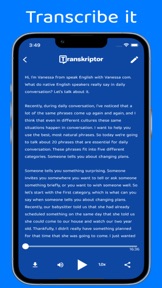
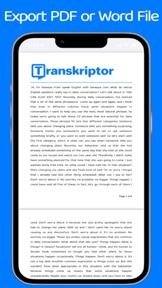
Transkriptor offers a free trial account, and it is one of the best sound to text converters through which you can easily transcribe your audio or video files to PDF or WORD files.
Transkriptor offers 90 minutes free, and you can use those minutes to transcribe speech to text.
Supported languages to transcribe audio to text:
- Portuguese
- Spanish
- German
- Turkish
- Italian
- Arabic
- English
- French
- Dutch
- Indonesian
- Korean
- Japanese
- Chinese
- Bengali
- Finnish
- Hindi
- Malay
- Burmese
- Polish
- Russian
- Swedish
- Tamil
- Telugu
- Thai
- Urdu
- Vietnamese
Automatic transcriptions are as accurate as those that do manual transcription. It takes less time to complete automatic transcription than manual transcription. At the same time, it is possible to transcribe automatically over the internet without running any programs on your computer with the new developing cloud technologies. With Transkriptor, which is one of the most popular transcribe tools, you can transcribe many kind of sound files like mp3, wav, m4a, etc.
Transkriptor can transcribe your any video or audio file to text for free in few minutes. Moreover, you can record and transcribe. Transkriptor is an online sound to text converter software, so you need an internet connection to use it. It provides automatic transcribe services at the lowest price. In addition, it offers a free trial to its users.
Automatically transcribe audio within minutes. Be more productive in school, work, and life. Receive editable text files and download them within seconds. Capture and find what you need. Search across everything and edit your text
Transkriptor is powered by state of an art A.I. algorithm. Therefore, its accuracy can reach 99% (depends on the language and audio quality). Transkriptor learns speech patterns, and its accuracy improves every day.
Frequently asked questions
What is Transkriptor?
Transkriptor is an online transcription software that speeds-up converting audio to text process by using state of art A.I. Our web application can be used on many areas from transcribing a journalistic interview to captioning online content.
You only need to sign up and confirm your email address to receive free trial. After you sign up you will be redirected to your account dashboard. From this page, you can start a new transcription, download your transcription files, or view previous transcription tasks.
Can I transcribe for free?
Yes! You only need to sign up to receive your free credit to transcribe. You will see your remaining credit on your account page.
Do I need a credit card for the free trial?
No, you don’t need credit card to transcribe your audio or video files.
How can I improve transcription quality?
Heavy background noise
This is by far the biggest enemy of high-quality transcription. As far as possible, try indoor or in-studio recording, as noise editing is quite an arduous task. If you have background noise, firstly eliminate it.
Platforms like Audacity, Adobe Audition, and AVID have tools to help, but it’s not a sure fix. Audacity is a free open-source audio recording and editing application.
STEP 1
Open Audacityteam.org/download, click “File” and “Open” and locate the file you want to fix
STEP 2
Select your “Room Tone” by dragging your mouse over a section where there is little or no audio sound
STEP 3
Select the “Effect” menu and then select “Noise Reduction”
STEP 4
Click “Get Noise Profile” and wait for the modal to disappear
STEP 5
Click back to your timeline of the audio to clear your selection
STEP 6
Select the “Effect” menu again and select “Noise Reduction” again
STEP 7
Click “Preview” to hear the default noise removal settings. You can select one of these defaults to see if they work
Terms of Use: https://www.apple.com/legal/internet-services/itunes/dev/stdeula/